
Arena Breakout Infinite AI ESP
AI ESP (Visual Options)
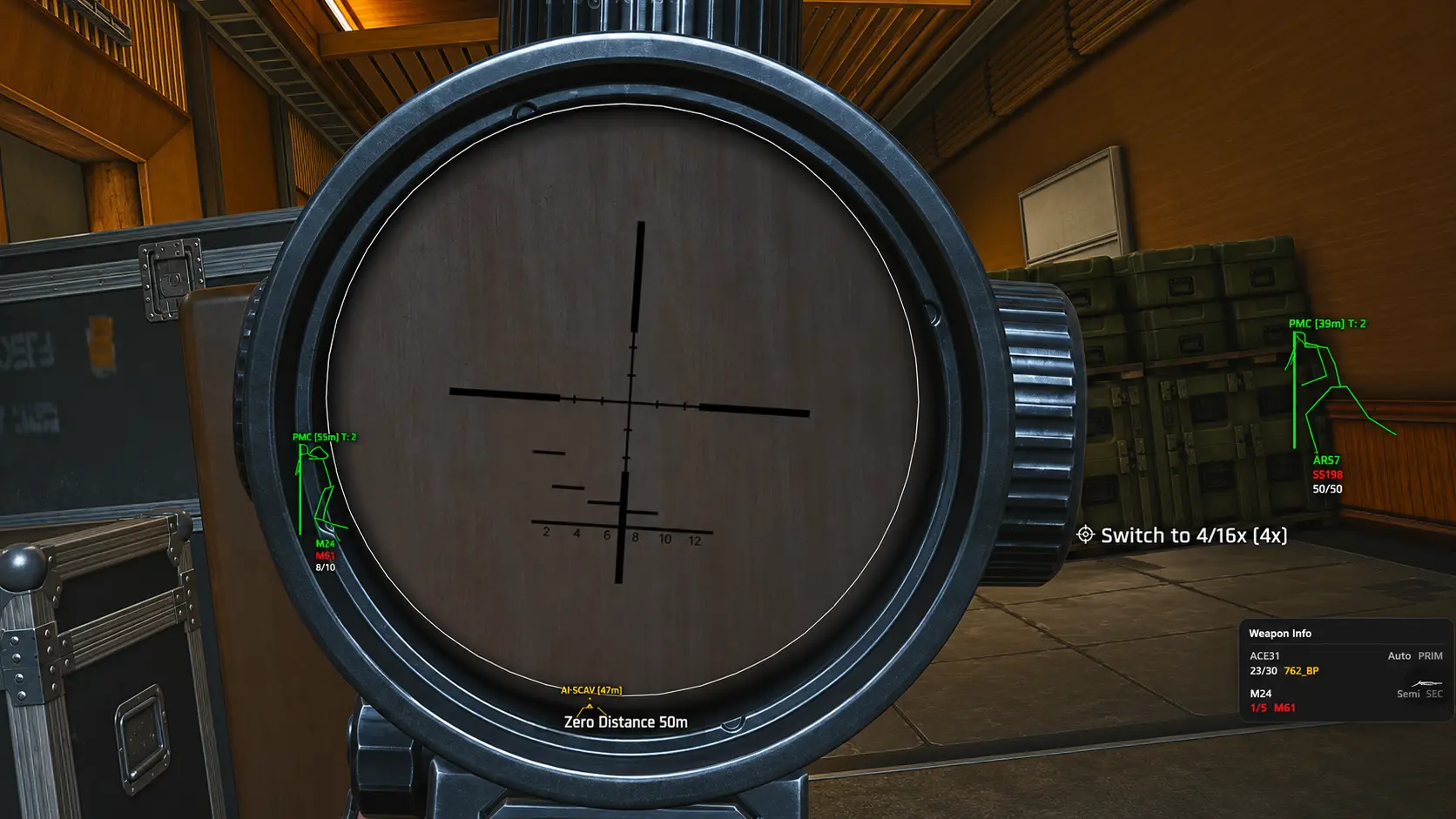
AI ESP draws the same fifteen Visual Options as Player ESP, applied to AI units. Use Enable, Box, Distance, Name, Weapon Type, View Direction, Health Bar, Skeleton, Level, Side, and related toggles to read AI patrols and scavs — without claiming different unsupported capabilities versus Player ESP.
- Distance, View Direction, and Snaplines help track AI movement through compounds.
- Weapon Type and Health Bar support decisions before you break cover.
- Inventory List and Inventory Price apply when the listing exposes them on AI entities.
Listed modules
- Enable
- Turns the ESP overlay category on or off.
- Inventory List
- Shows inventory-related information on supported targets.
- Box
- Draws bounding boxes around entities.
- Distance
- Displays distance to tracked entities.
- Name
- Shows entity or player names where available.
- Team Index
- Displays team index identifiers for squad awareness.
- Weapon Type
- Shows equipped weapon type on tracked targets.
- View Direction
- Indicates which way a target is facing.
- Health Bar
- Renders health information for supported targets.
- Head Circle
- Highlights head position with a circle marker.
- Snaplines
- Draws lines from screen center or feet to entities.
- Skeleton
- Draws skeleton bones for positional awareness.
- Inventory Price
- Shows inventory value information where the listing supports it.
- Level
- Displays level readouts on supported targets.
- Side
- Shows side or faction indicators for players and AI.
Related articles
ESP
7 min read
Same visual option set applied to AI units.
ESP
5 min read
Box ESP for quick threat framing.
ESP
5 min read
Weapon Type readouts before you push.